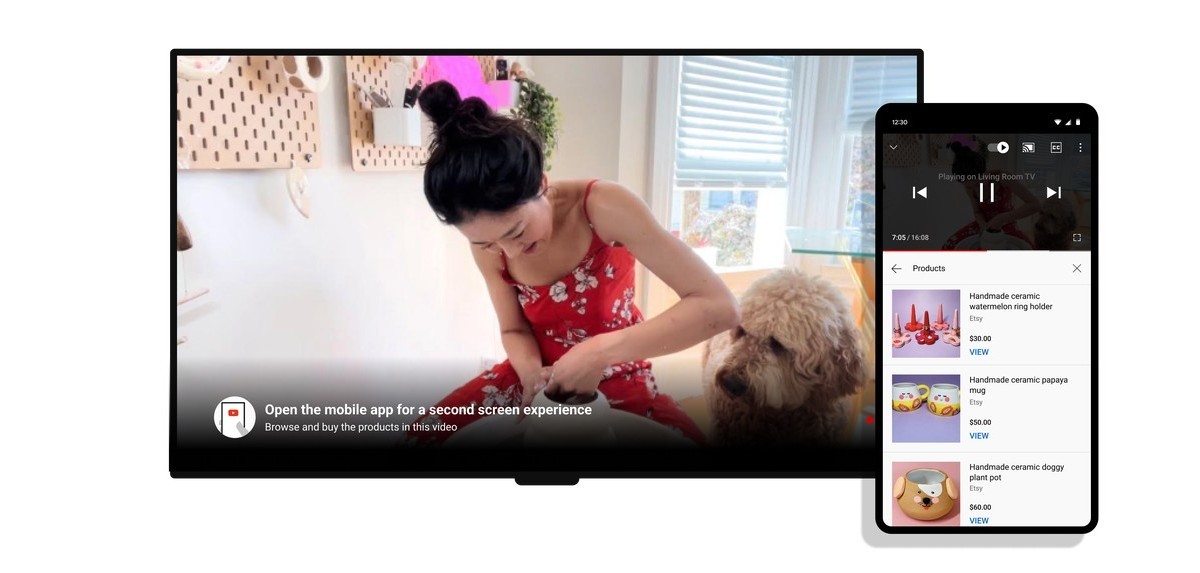
YouTube is announcing an exciting new feature today, which may prove very useful for those who have a YouTube app on their TV.
Before, in order to use your phone to control that app, you'd have to go down the Cast route, and it was clunky. Also, while this worked when you found a video on your phone and wanted to see it on the TV, you couldn't get details about the currently playing video on the TV automatically on your phone, unless you were casting it.
That's what changes. Rolling out from today, the new feature lets you effortlessly connect your TV's YouTube app to your iPhone or Android phone's YouTube app, no more casting required. It's also a full sync, so you'll always get details about the video playing on your TV in your phone's YouTube app.
Here's how it works. Start the YouTube app on your TV, then open the YouTube app on your phone. They need to both be signed into the same account, by the way. Once you open the phone app, you'll see an automatic prompt popping up, and all you have to do is hit Connect. Once you've done that, the two apps are connected and always in sync with each other.
So you can use your phone's keyboard to search for stuff to see on the TV, or you can comment on your phone on a video you're currently watching on your TV, or you can check the description on your phone of a video you're watching on the TV. It's complicated to explain in text, but should make instant intuitive sense once you get the new feature, and it will probably be one of those we'll all be wondering how we were ever able to live without.


